


Famup
Famup keeps elderly parents and their caregiver children connected and safe.
Famup is an app for elderly parents and the adult children who look after them from a distance. Your parent checks in with a single tap, and you see how they are doing on one screen.
Your parent's screen has big buttons, large text and only a few choices. On your side, you look after medications, doctor appointments and the health card, and Famup lets you know when something needs your attention.
Nothing is shared until your parent says yes on their own phone, and your parent can remove a caregiver at any time. Brothers and sisters can follow the same parent too.
- iPhone
- Android
When you live apart, the same questions come back every day
Is Mom all right? Did Dad take his medicine? Are they at home? When you live away from your parents, the answer usually takes a phone call.
Your parents, for their part, find most apps too complicated, and nobody wants to feel watched.
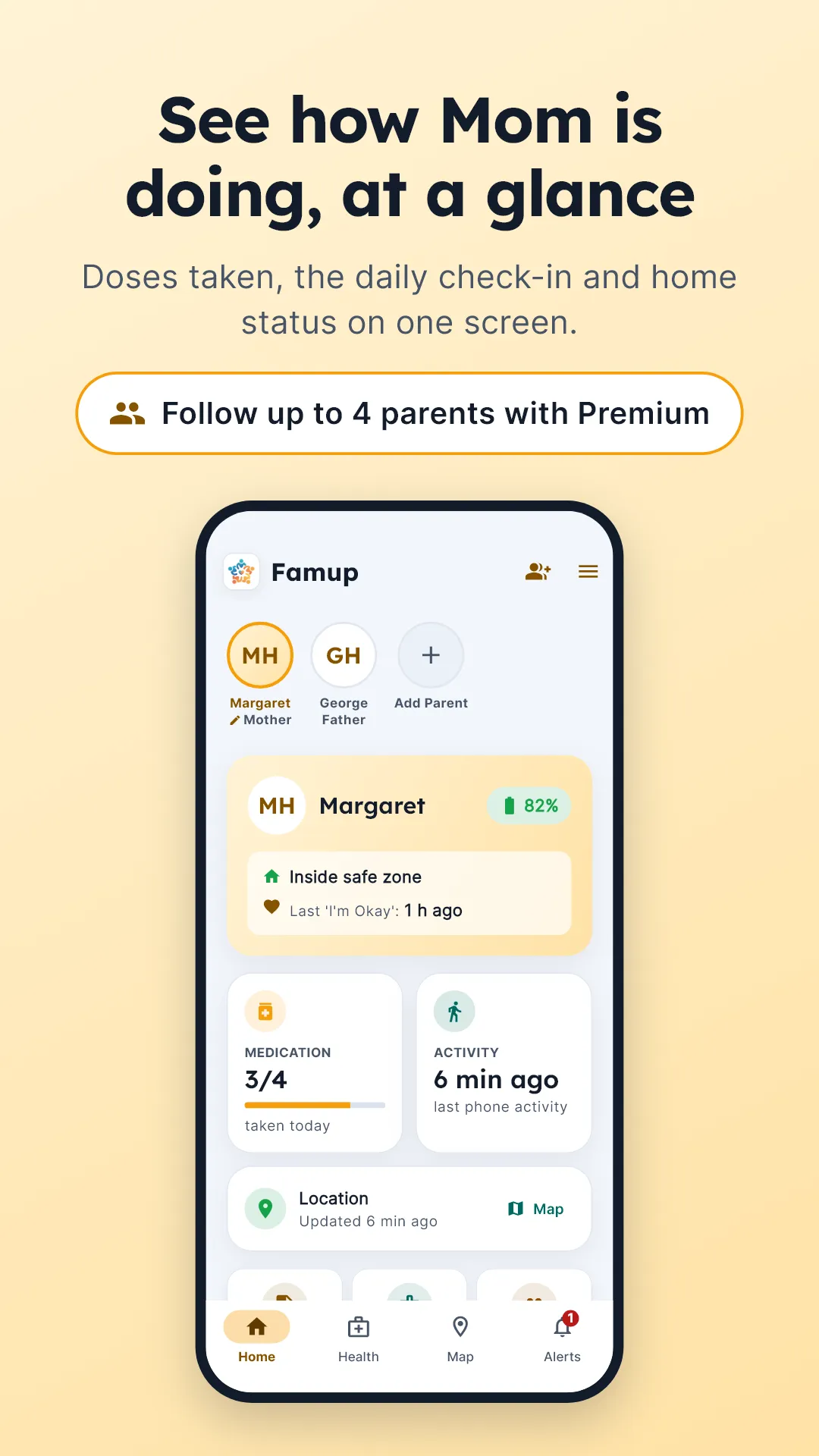
Famup brings both needs together in one app. Your parent tells the family “I'm okay”, “I need a hand” or “emergency” with a single tap. You see their check-in, medications, battery, location and alerts on one screen, shared from their own phone with their clear permission.
There is one app for everyone. When you sign up, you choose “I am the caregiver” or “I am the parent”, and Famup opens the screens made for that role.
For your parent
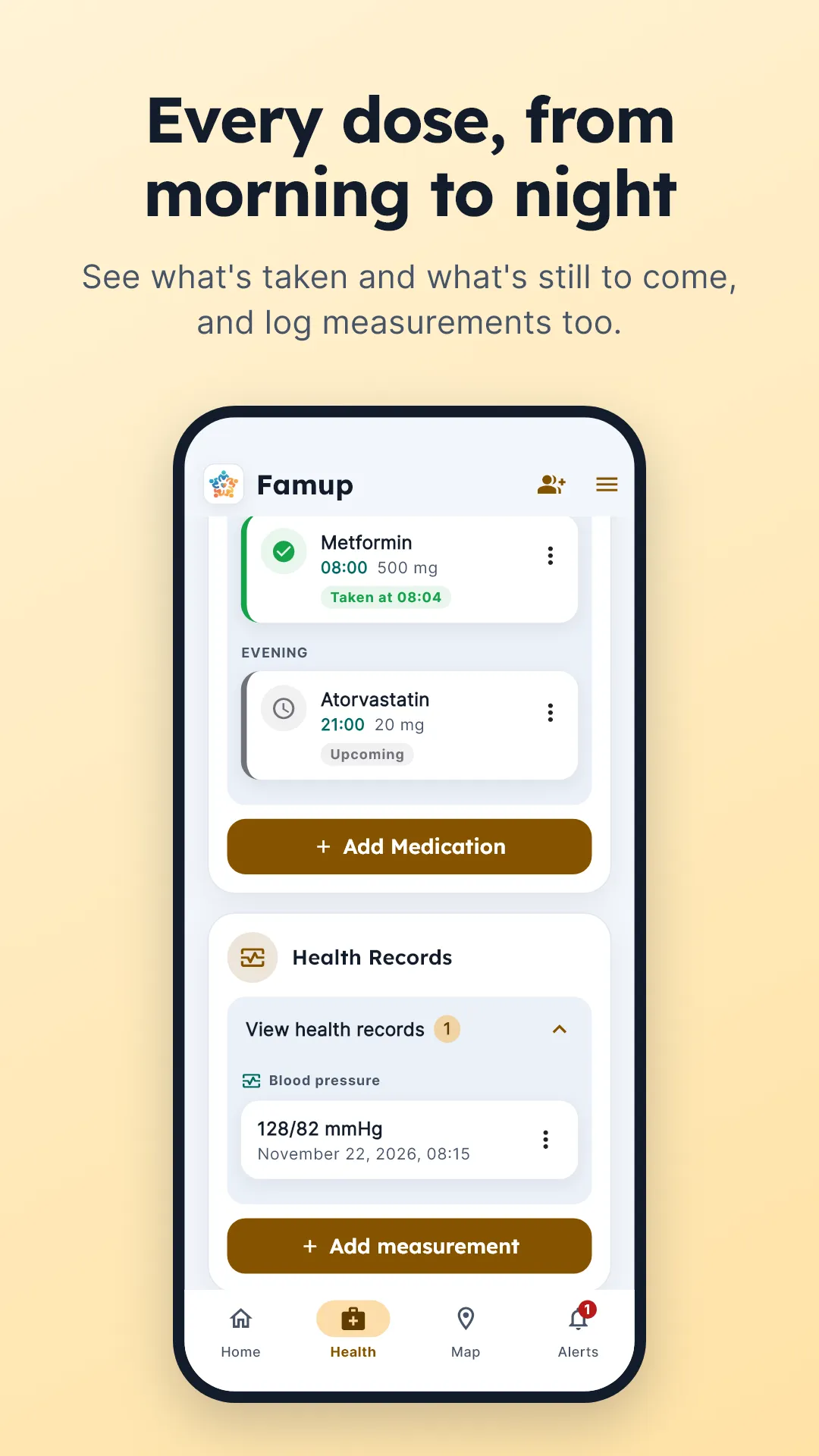
Big buttons, large text and only a few choices. Your parent decides who can follow them.
For you
Follow from a distance and look after medications, doctor appointments, the health card, the home location and the safe zone on your parent's behalf.
For brothers and sisters
More than one caregiver can follow the same parent. The first caregiver becomes the admin; those who join later are followers, and an admin can change their role.
Your parent gives the permission
Famup is not a tool for watching someone in secret. It works only with your parent's consent, given on their own phone.
You create a code
Download Famup, sign up as a caregiver and tap “Add Parent”. Famup creates a six-character code that is valid for 24 hours.
Your parent enters it
Your parent installs Famup on their own phone, signs up as a parent and enters the code under “Enter Invite Code”.
Your parent says yes
Your parent sees who wants to follow them and approves it. Until then, nothing is shared.
Brothers and sisters join
A connected caregiver creates a new code for a brother or sister. Every new caregiver also waits for approval on your parent's phone.
Your parent stays in control
Your parent can remove a caregiver at any time under “My Caregivers”, and that caregiver's access ends at once.
Three big buttons on your parent's phone
Your parent's screen is made for people who find apps hard to use: large buttons, large text and as few choices as possible.
I'm Okay
The daily check-in, with a single tap. If your parent has not checked in, a reminder comes at 8 pm, and your screen shows a warning after noon.
I Need a Hand
Lets the family know your parent could use some help, without raising an emergency.
Emergency SOS
One tap, with no confirmation step, sends an emergency alert with the last known location to the whole family. On your phone, a red “CALL NOW” window opens and calls your parent with one tap.
Medications, one dose at a time
Add your parent's medications with their times, how long to take them and how many are in the box. Famup takes care of the reminders.
On your parent's phone
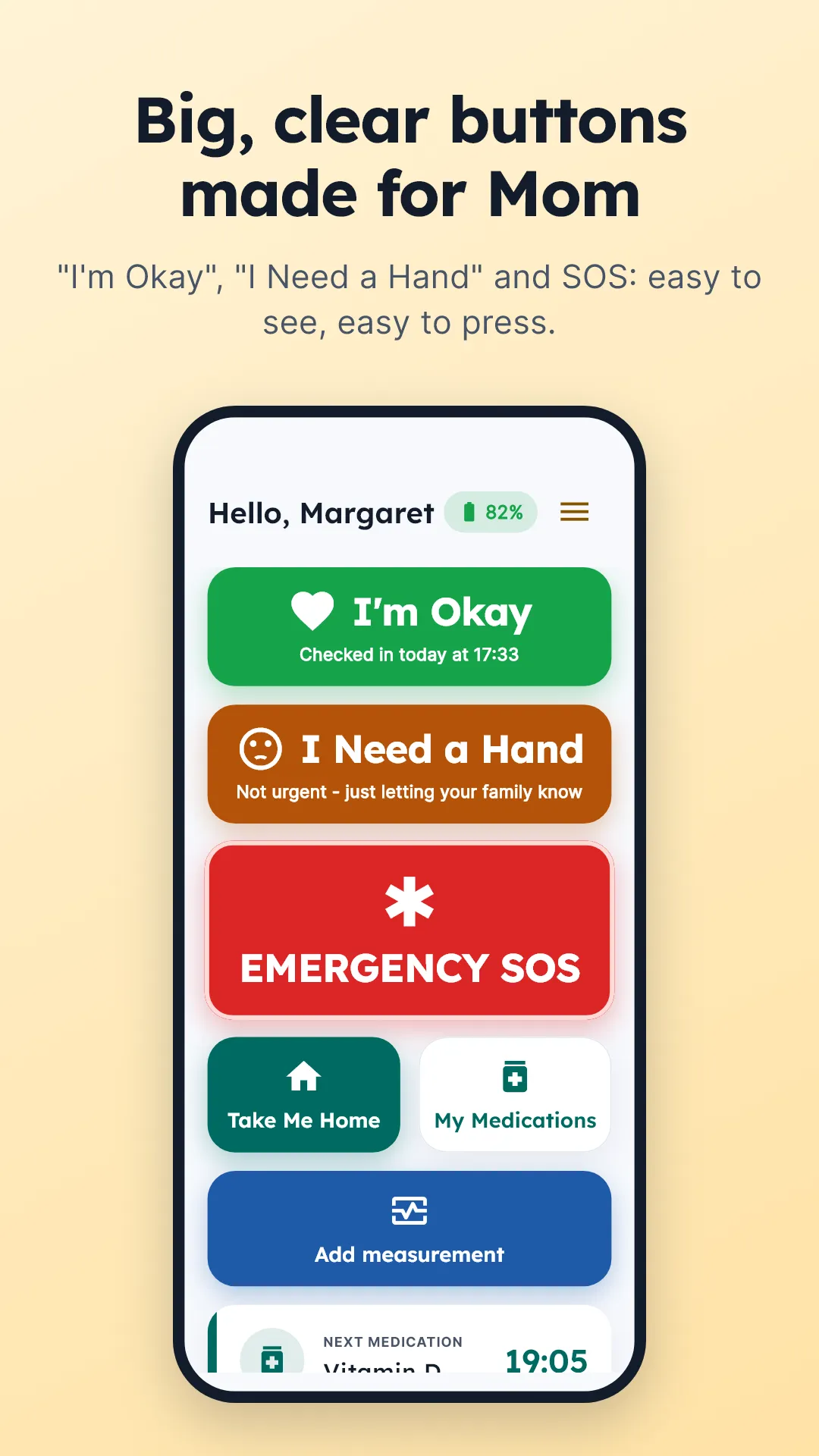
Today's medications are grouped into morning, afternoon and evening. When a dose is due, a reminder comes and an “I took it” button appears.
On your phone
Every dose shows as taken, late or upcoming. If a dose is not marked as taken, you get an alert 15 minutes after its time, even when your parent's phone is off.
Before the box runs out
Famup estimates when a medication will run out, alerts you when stock is low and lets you add new stock.
What matters, on your phone
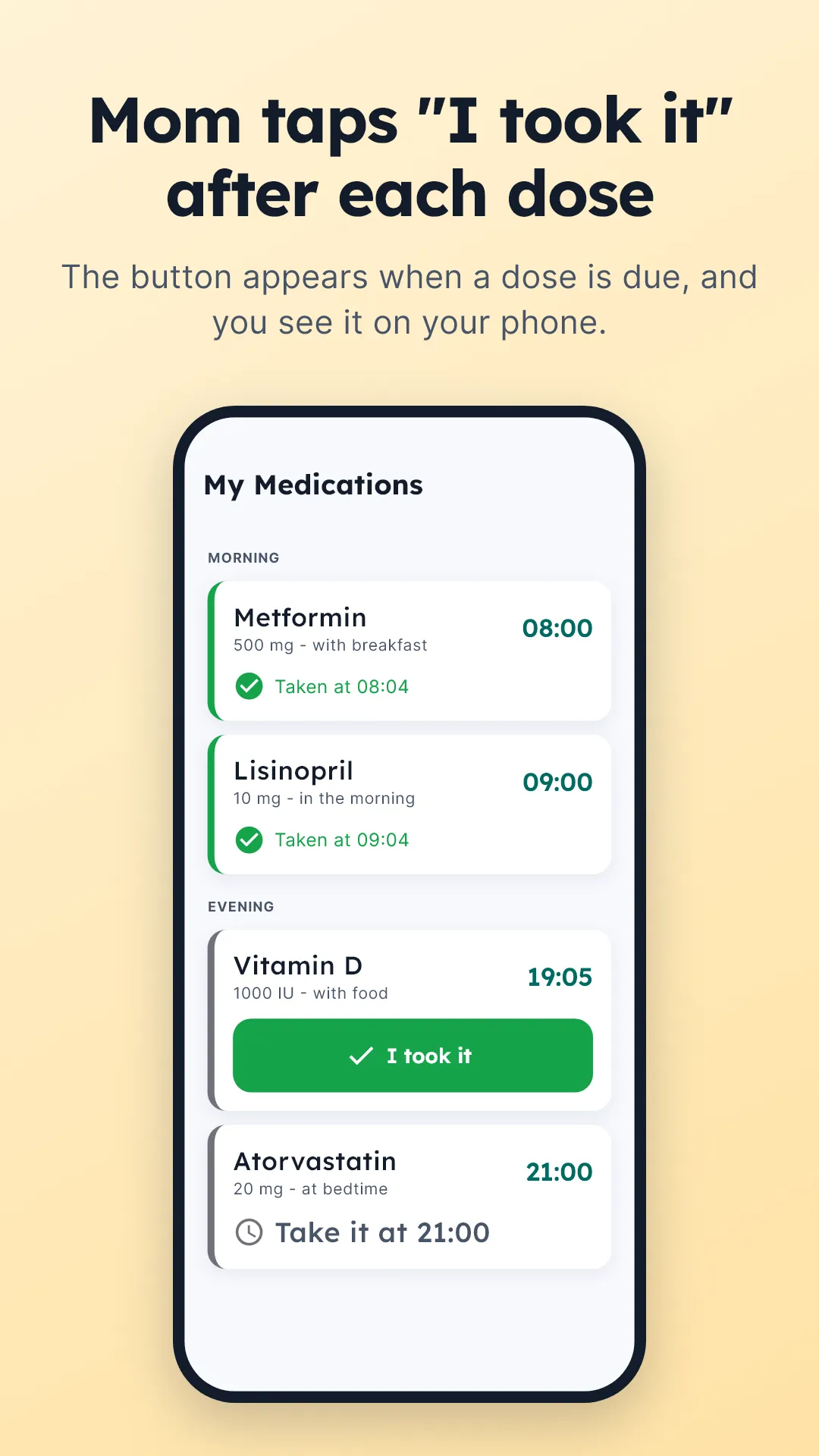
Your screen has four tabs: Home, Health, Map and Alerts. If you follow more than one parent, you choose whose information to see at the top.
Home
Whether your parent is at home, the battery level, the last check-in, how many of today's doses were taken and when the phone was last used. If the phone has not been used for 8 hours, a red warning appears.
Alerts
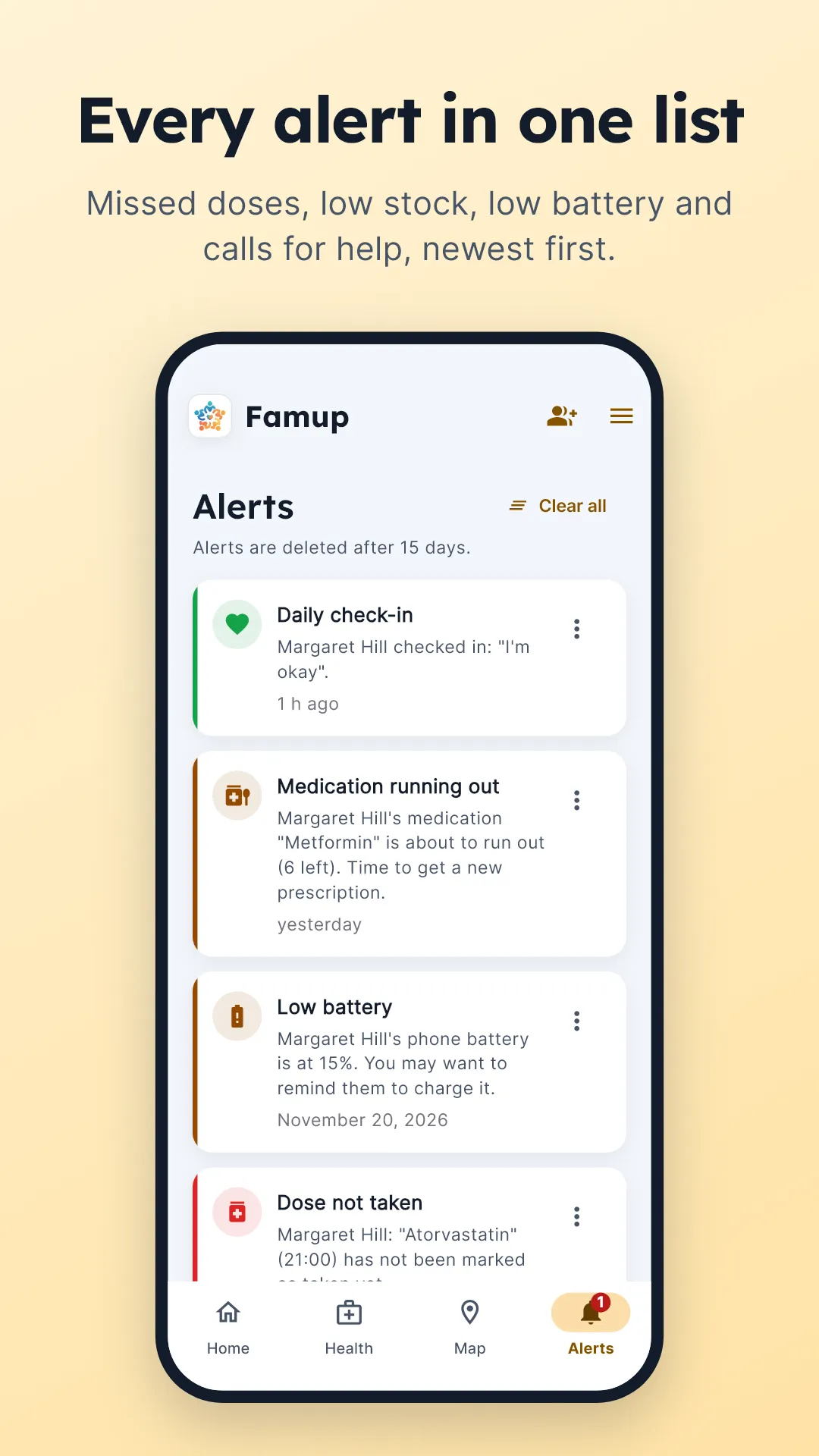
SOS, “I Need a Hand”, missed doses, low stock, low battery and leaving the safe zone, in one list with the newest first and a count of unread alerts.
Only what is needed
A notification carries only the person's name and the type of alert, and the battery level for a low battery. Location, medication names and health details never appear in it.
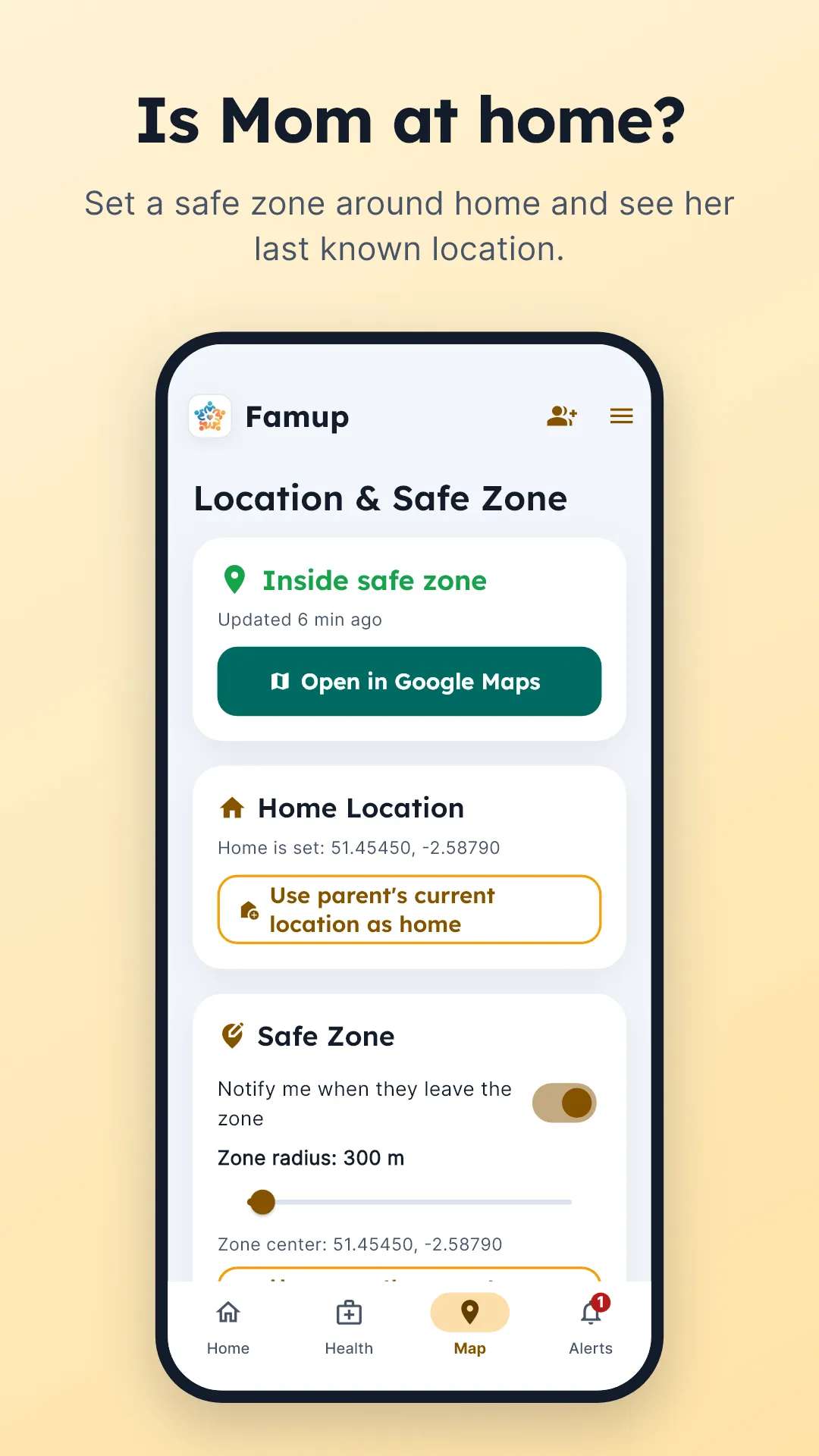
Is your parent at home?
See your parent's last known location and whether they are at home. The location opens in Google Maps.
Home and safe zone
Set your parent's home and a safe zone around it, from 100 m to 5 km. If your parent leaves the zone, you get an alert.
Take Me Home
When your parent taps “Take Me Home”, you are told, and Google Maps opens walking directions home on your parent's phone.
Updated while Famup is open
Location, battery and the safe zone are checked every 5 minutes while Famup is open on your parent's phone. There is no tracking in the background, and every value shows when it was last updated.
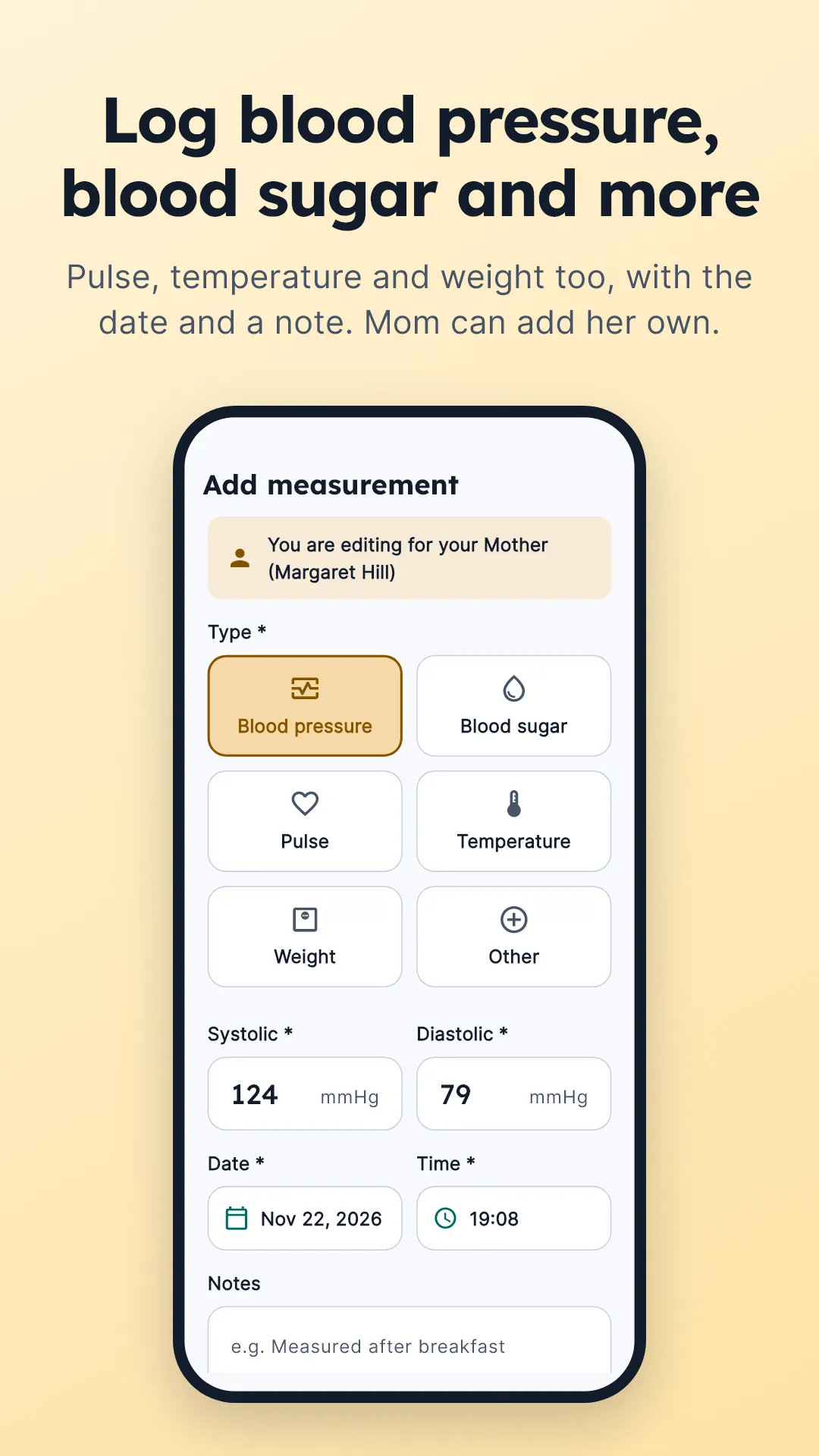
Health details, ready when needed
The Emergency Health Card keeps your parent's blood type, allergies, chronic conditions, sex, date of birth and the doctor's phone number on one card. You fill it in and keep it up to date; your parent can always see it on their own phone.
Blood pressure, blood sugar, pulse, temperature, weight and other readings go into a large, simple form, with the date, the time and a note. You can enter them for your parent, and your parent can add their own. Famup keeps the readings as they are and does not judge whether they are high or normal.
Everything saved here can later be viewed as a detailed report to show your parent's doctor: the details from the health card, the measurements grouped by type and how regularly the medications were taken.
Doctor appointments
The next appointment appears on your parent's home screen, and reminders come before it.
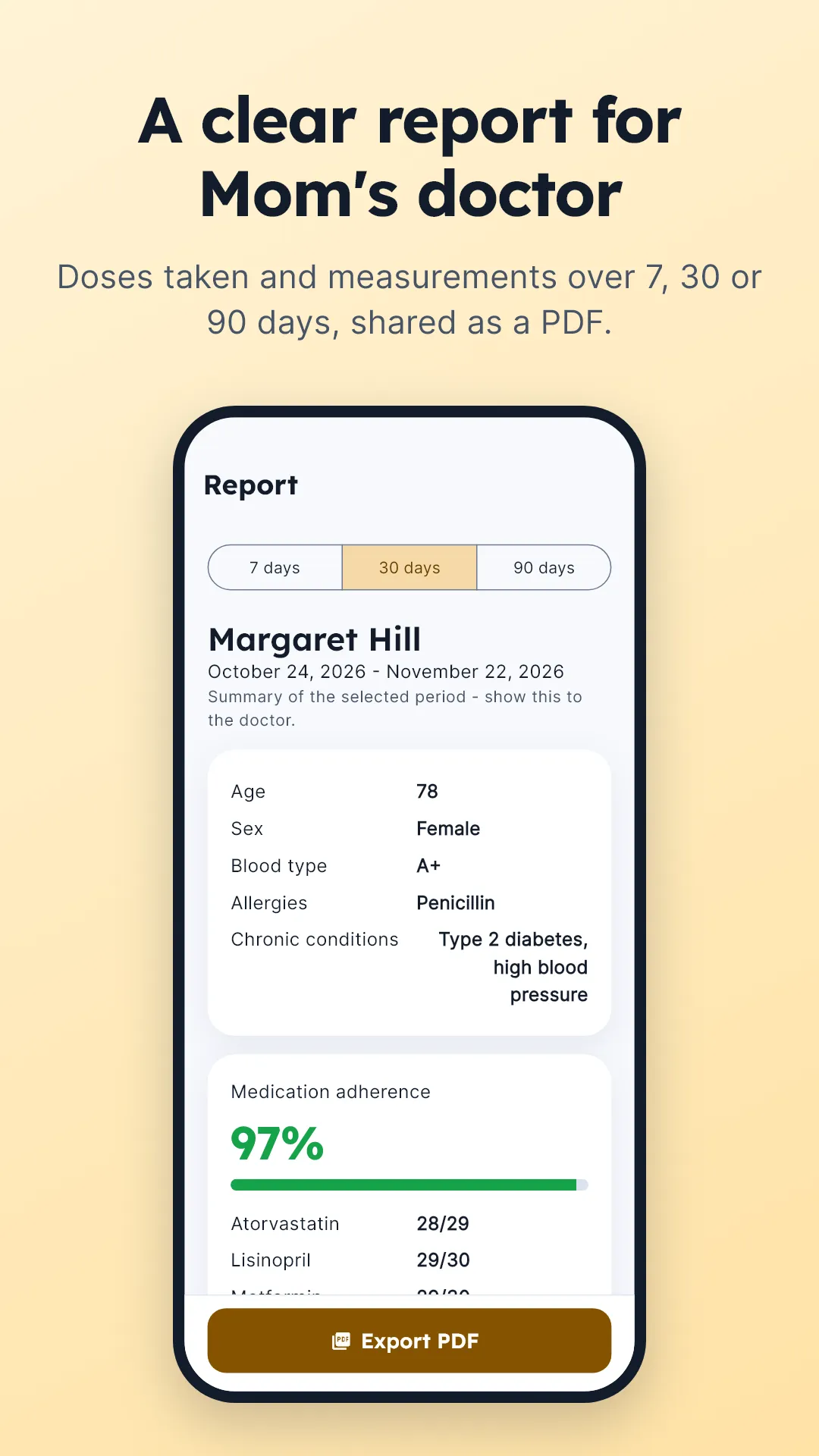
A clear report for the doctor
Before a visit to the doctor, choose a period of 7, 30 or 90 days. Famup puts together a summary of that period that you can show on your phone or share as a PDF.
The report starts with your parent's name, the dates it covers and the details from the health card: age, sex, blood type, allergies and chronic conditions. It then shows how regularly the medications were taken: the share of doses taken overall, and for each medication how many of the planned doses were taken.
Measurements such as blood pressure, blood sugar, pulse, temperature and weight follow, grouped by type. Like the rest of Famup, the report lists the values as they are and leaves their meaning to the doctor.
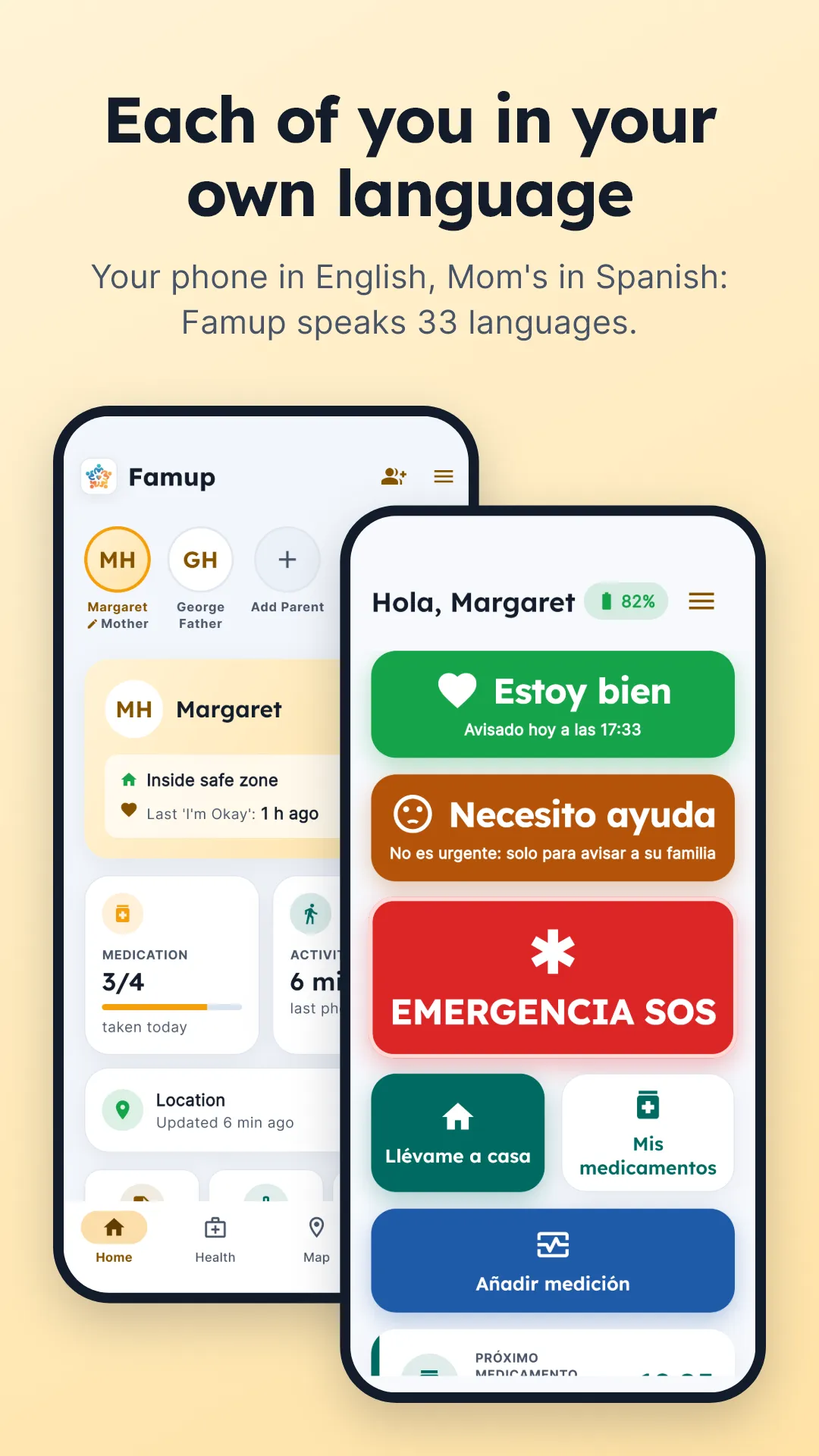
Each of you in your own language
Famup has no language setting of its own: it follows the language of each phone. When your phone is in English and your mother's is in Spanish, each of you sees Famup in your own language.
That way one family can use Famup in several languages at once. Each notification arrives in the language of the phone that receives it, so your mother's check-in reaches you in your language.
Famup speaks 33 languages, from Catalan, Czech and Danish to Turkish, Ukrainian and Chinese, which comes in both simplified and traditional script. Portuguese has separate versions for Brazil and Portugal.
Good to know
SOS goes to your family
Famup is not a medical device and does not contact emergency services. In an emergency, call your local emergency number.
No medical advice
Famup does not diagnose, suggest treatment or judge whether a measurement is high or normal.
Phones
Famup runs on Android phones and on iPhone with iOS 15 or later. There is no iPad version.